Designers, retailers, and renovators
How to visualize tile in a room photo
Use a room photo, a clear tile sample, and a specific target surface to compare tile directions before ordering samples or committing to a layout.
Start with the right room photo
Tile visualization works best when the surface is visible, the room is evenly lit, and the photo shows enough surrounding context to judge the result.
- Use a straight-on or lightly angled photo of the floor, wall, shower, or splash area.
- Clear rugs, loose items, and visual clutter from the surface when possible.
- Avoid heavy shadows, blown-out windows, and extreme wide-angle distortion.
Use a clear tile sample
Upload a tile sample that shows color, pattern, and texture without strong reflections. A product image can work, but a physical sample photo often gives a more realistic direction. If you are browsing a showroom, save the sample in My Captures and add a photo of the material info card so the price, size, finish, and product code are available later.
- Crop to the material rather than the full showroom display.
- Use natural or neutral lighting so the sample color is easier to interpret.
- Include the finish name, size, or product code in the prompt when the image alone might be ambiguous.
Specify the exact surface
Tell RenoViz which surface should change and which parts of the room should stay untouched. This keeps the visualization useful for decisions instead of turning it into a generic redesign.
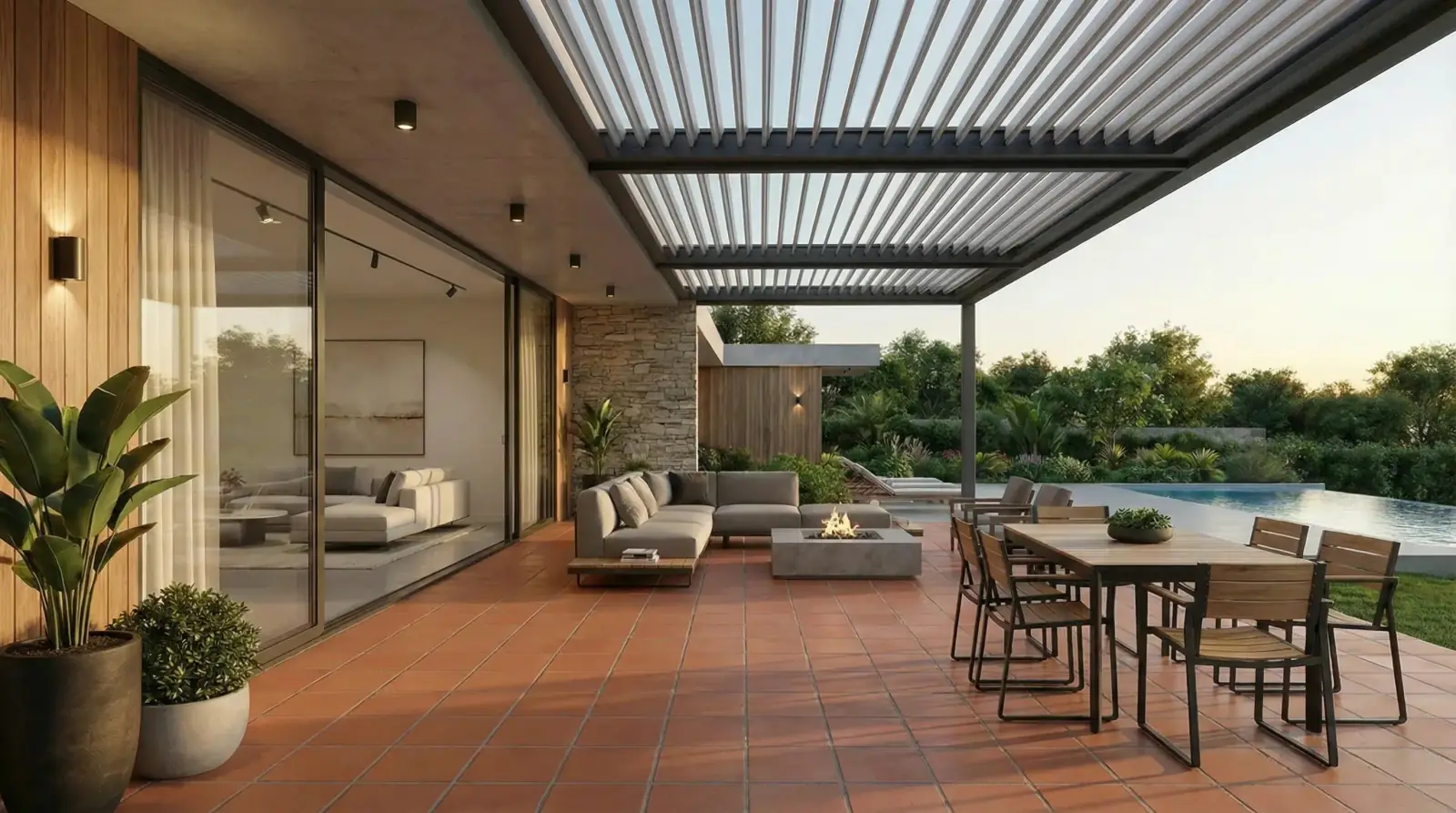
- Good: Apply this terracotta tile to the covered patio floor only.
- Good: Replace the shower wall tile, keep the vanity, mirror, and floor the same.
- Avoid vague prompts such as make this room nicer with tile.
Review the result before sharing
Check the visualization for surface boundaries, perspective, pattern scale, and lighting. Use the image to narrow the direction, then confirm final slip rating, grout, texture, and batch color with physical samples.
Visual examples
Terracotta patio tile
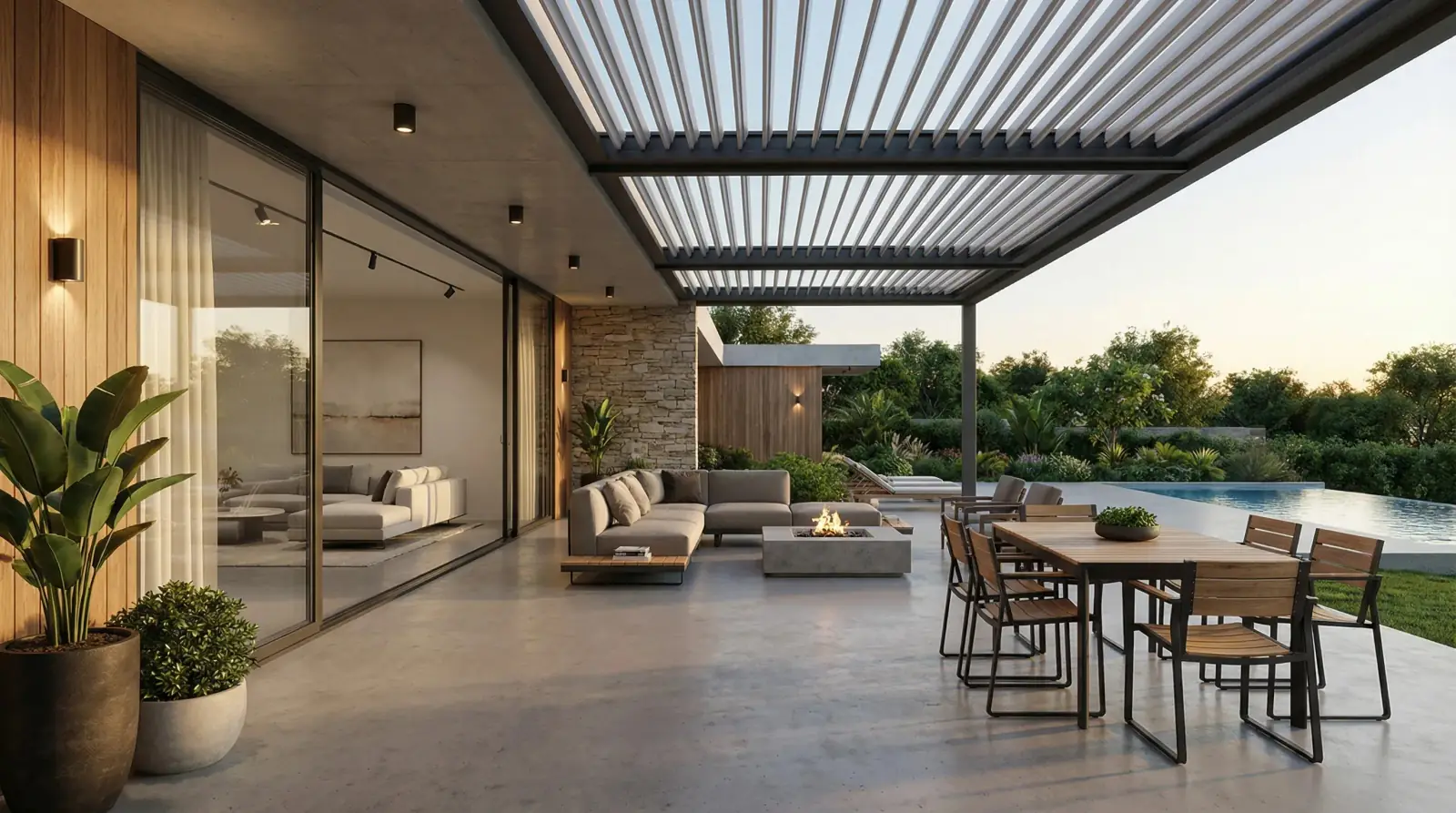
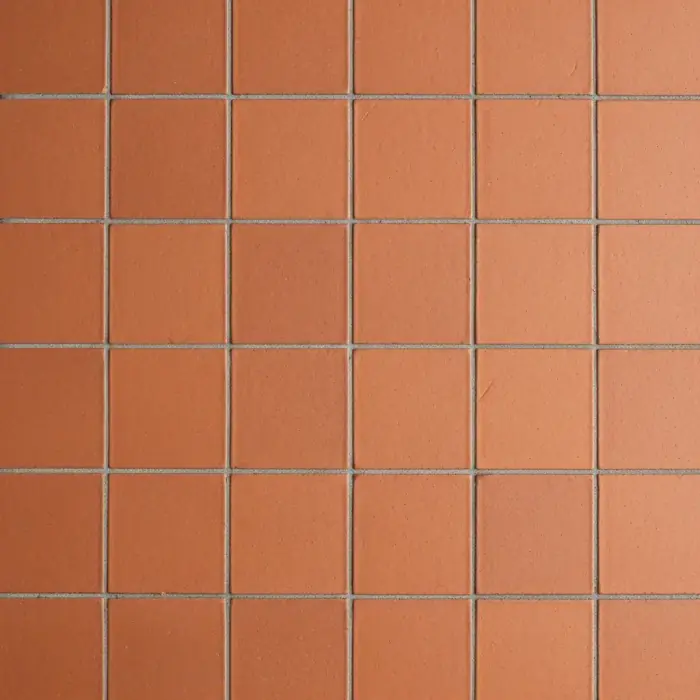
A terracotta tile sample applied to a covered patio floor while preserving the walls, doors, and furniture context.
Terracotta tile / Covered patio floor
Questions
Can I visualize tile on both floors and walls?
Yes. Upload the room photo, add the tile sample, and describe the target surface clearly, such as floor only, shower wall only, or backsplash only.
Does tile visualization show exact grout lines?
It can suggest pattern direction and surface feel, but final grout width, tile size, and installation layout should be confirmed with a professional installer.
Should I use a product image or a photo of a sample?
Either can work. A clean product image is useful for pattern clarity, while a real sample photo can better reflect the finish under practical lighting.
Related pages
Try this workflow
Use RenoViz to compare material directions in a real room photo, then confirm final choices with samples and professional review.