Designers and renovators
Bedroom cupboard visualizer
Compare bedroom cupboard paint and finish directions in a real room photo.
Preview bedroom cupboards and built-ins
Bedroom cupboard finishes are affected by bedding, flooring, wall color, window light, and the scale of the room. RenoViz helps compare cupboard paint, color, and finish directions in the actual bedroom photo.
- Apply paint or finish samples to cupboard doors, wardrobes, or built-in panels.
- Use color mode for exact color codes or described shades.
- Keep the bed, floor, and daylight visible for a more realistic comparison.
Use color mode for paint decisions
When the decision is a paint color rather than a physical material sample, color mode can apply a specific code or description to selected elements such as cupboard doors, wardrobe panels, trim, or cabinetry.
Keep material details with the visual
If the finish comes from a supplier sample, save both the material image and info card in My Captures. This keeps color name, finish, collection, price, and product-code details available for the final decision.
Visual examples
Bedroom wardrobe paint
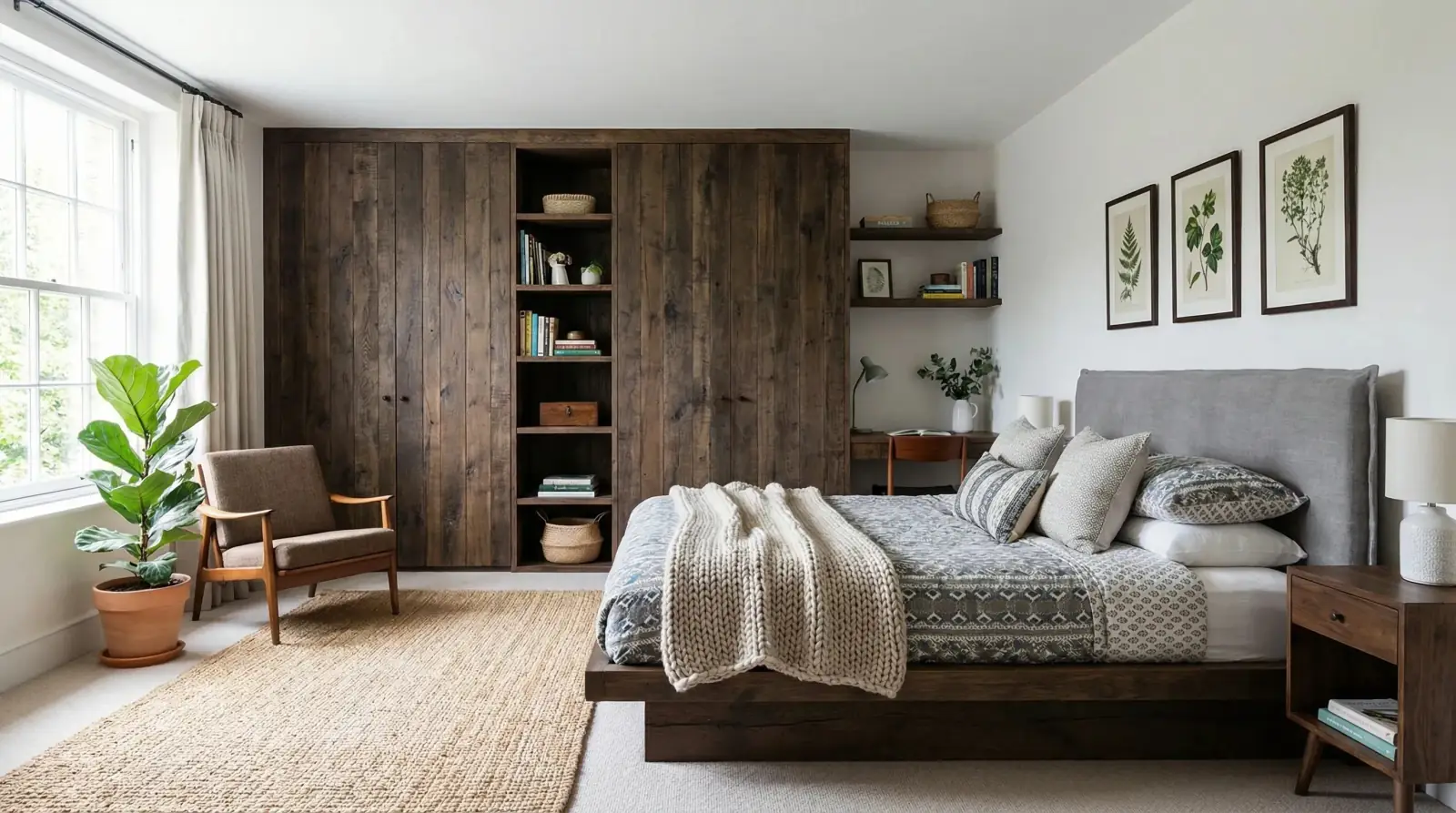
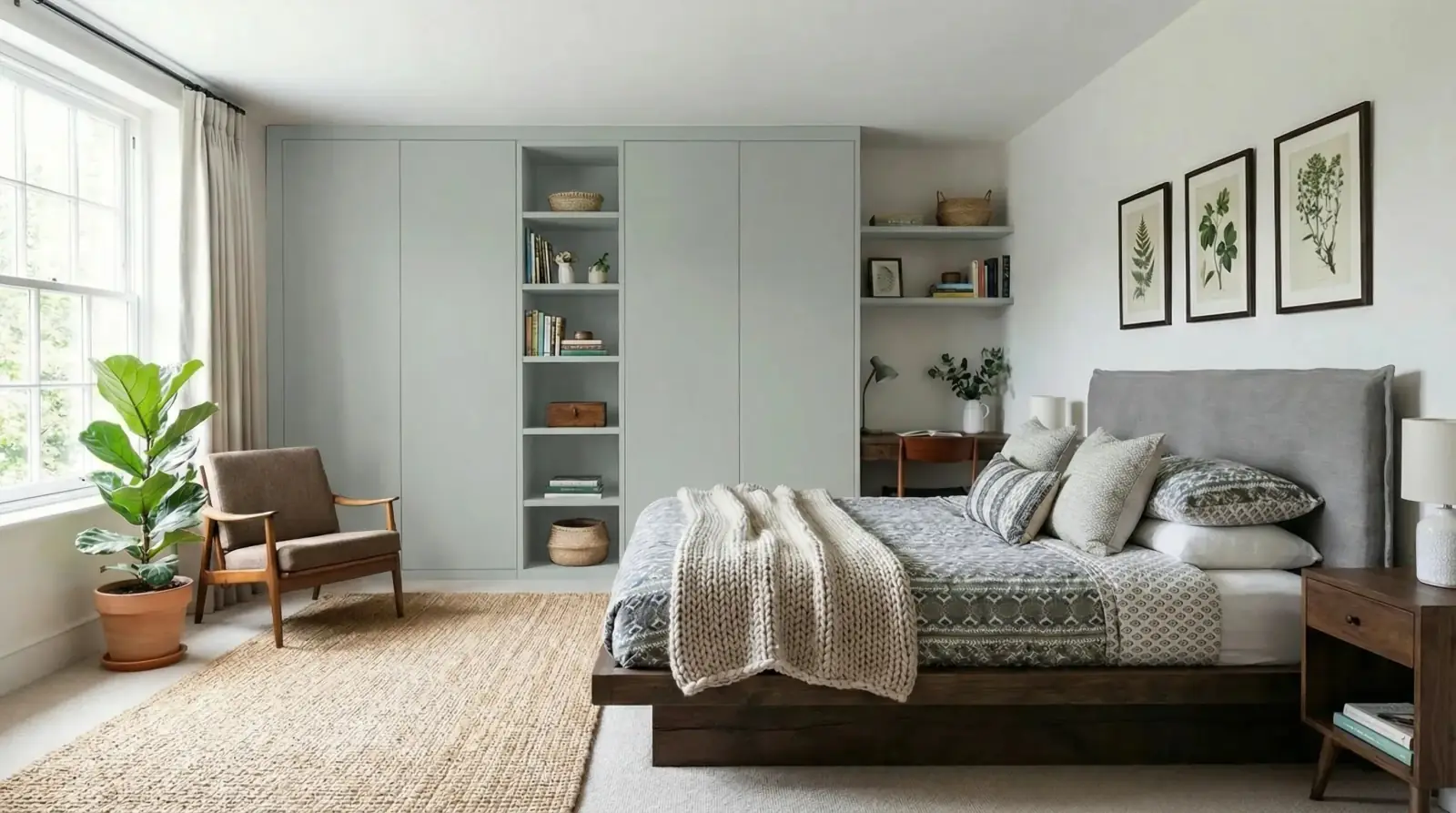
Sahara Creme paint applied to bedroom cupboards while preserving the bed, flooring, and room light.
Sahara Creme paint / Bedroom cupboards

Questions
Can RenoViz visualize paint on wardrobes?
Yes. Upload the bedroom photo, add a paint sample or use color mode, and choose the cupboard or wardrobe doors as the target surface.
Can I test bedroom cupboard colors by hex code?
Yes. Color mode can use a specific color code or a natural-language color description for the chosen surface.
Does the visualization replace paint swatches?
No. Use RenoViz to shortlist directions, then check physical swatches in the room before choosing the final paint or finish.
Related pages
Try this workflow
Use RenoViz to compare material directions in a real room photo, then confirm final choices with samples and professional review.