Designers, retailers, and renovators
AI room visualizer vs moodboard
Moodboards are useful for establishing taste. AI room visualizers are stronger when the decision depends on how a real material, color, or finish will look in the actual room.
Where moodboards fit
Moodboards are best for early design language: atmosphere, references, palette, lifestyle, and broad creative direction. They help a client say warmer, calmer, bolder, more traditional, or more minimal before a specific finish is chosen.
- Useful before the project has a measured room photo or exact supplier shortlist.
- Good for aligning taste across furniture, lighting, texture, and styling.
- Less useful when the client needs to approve one specific surface in one specific room.
Where an AI room visualizer fits
An AI room visualizer is better once the room and decision are concrete. RenoViz starts from the actual room photo, applies a material sample or color to a target surface, and keeps the surrounding context visible.
- Apply a captured stone, tile, fabric, paint, or flooring sample to the real room photo.
- Use color mode to test a color code or described shade on walls, trim, cabinetry, or wardrobes.
- Compare variations in the room chat so each result builds from the previous image.
Client approval difference
A moodboard asks the client to imagine the transfer from reference images to their own room. A room visualizer reduces that translation step by showing the proposed material in the room where it will be used.
Collaboration difference
Moodboards are often shared as static files or presentation links. RenoViz keeps collaboration closer to the project: subscribers can create teams so designers, showroom staff, or project members can contribute, and projects can be shared with external parties with controlled access.
- Use viewer access when a client, installer, or supplier only needs to review options.
- Use contributor access when an external collaborator should add input with limited credits.
- Keep material captures, room renders, and approval context in the same project instead of splitting them across decks and messages.
Best workflow
Use moodboards to establish direction, then use RenoViz to test the shortlist in context. If the material comes from a showroom, save it in My Captures and add a photo of the material info card so price, size, finish, and product codes are available during approval.
Visual examples
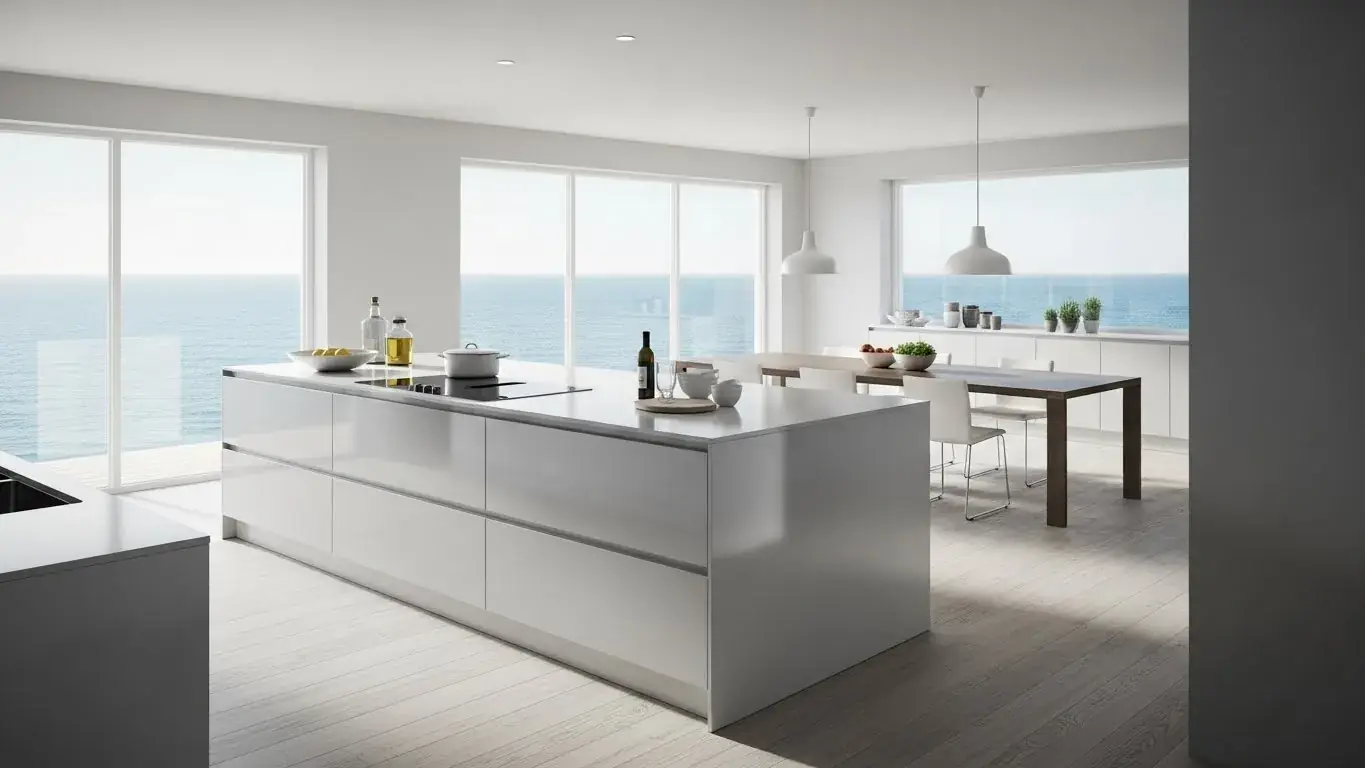
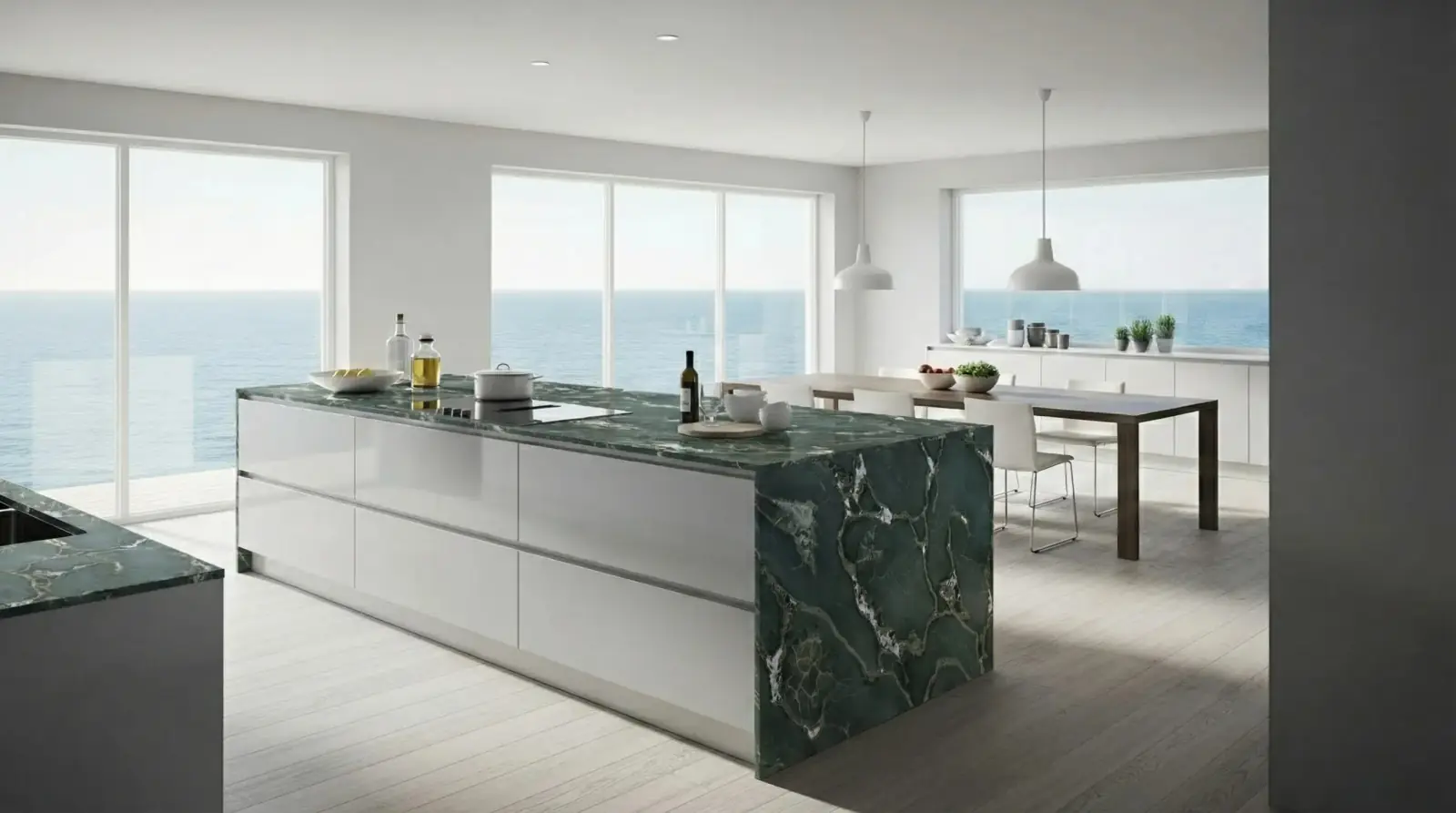
Kitchen island material decision
A stone sample applied directly to the island, making the decision more concrete than a reference-only moodboard.
Safari Green Quartzite / Kitchen island

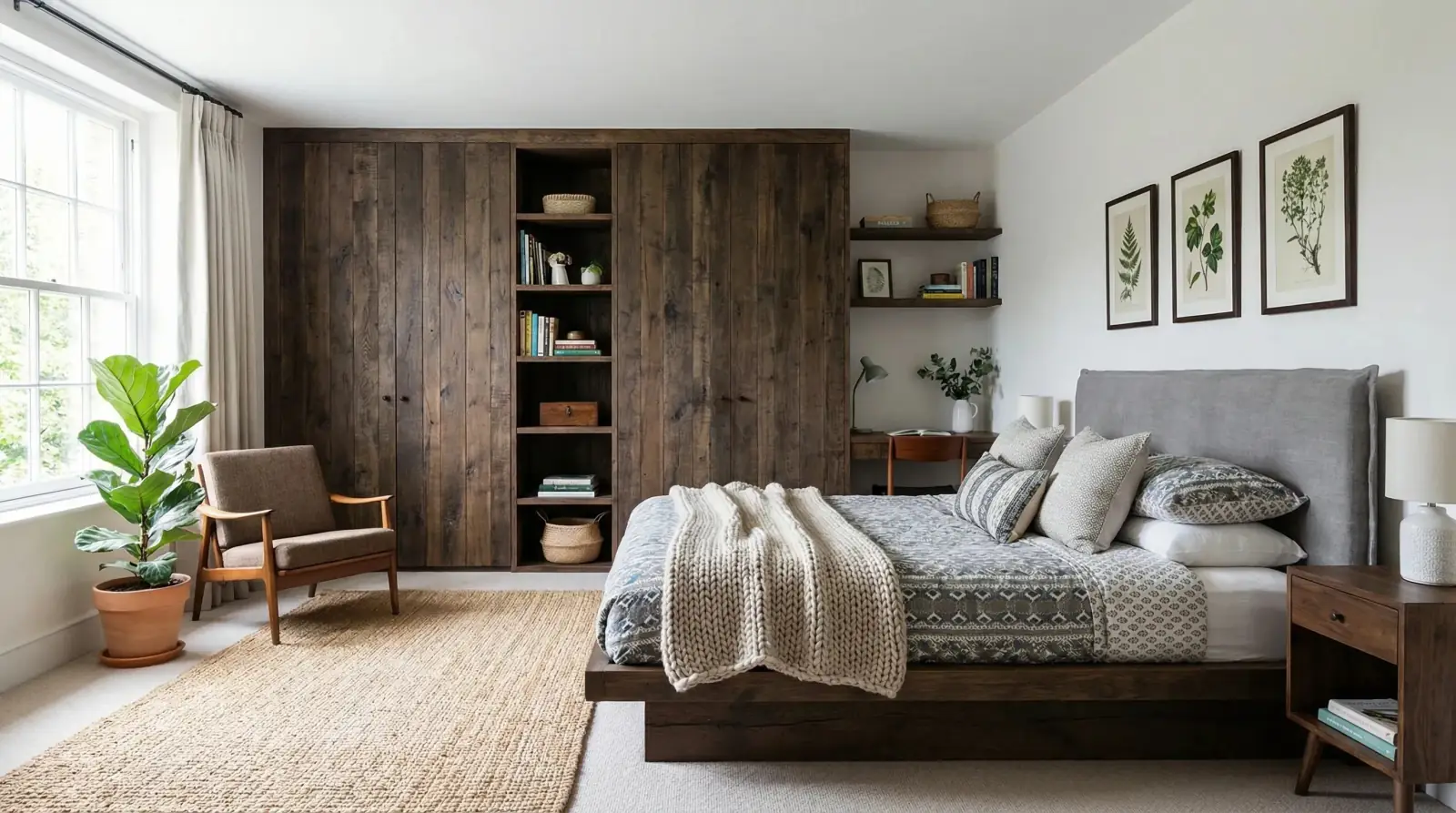
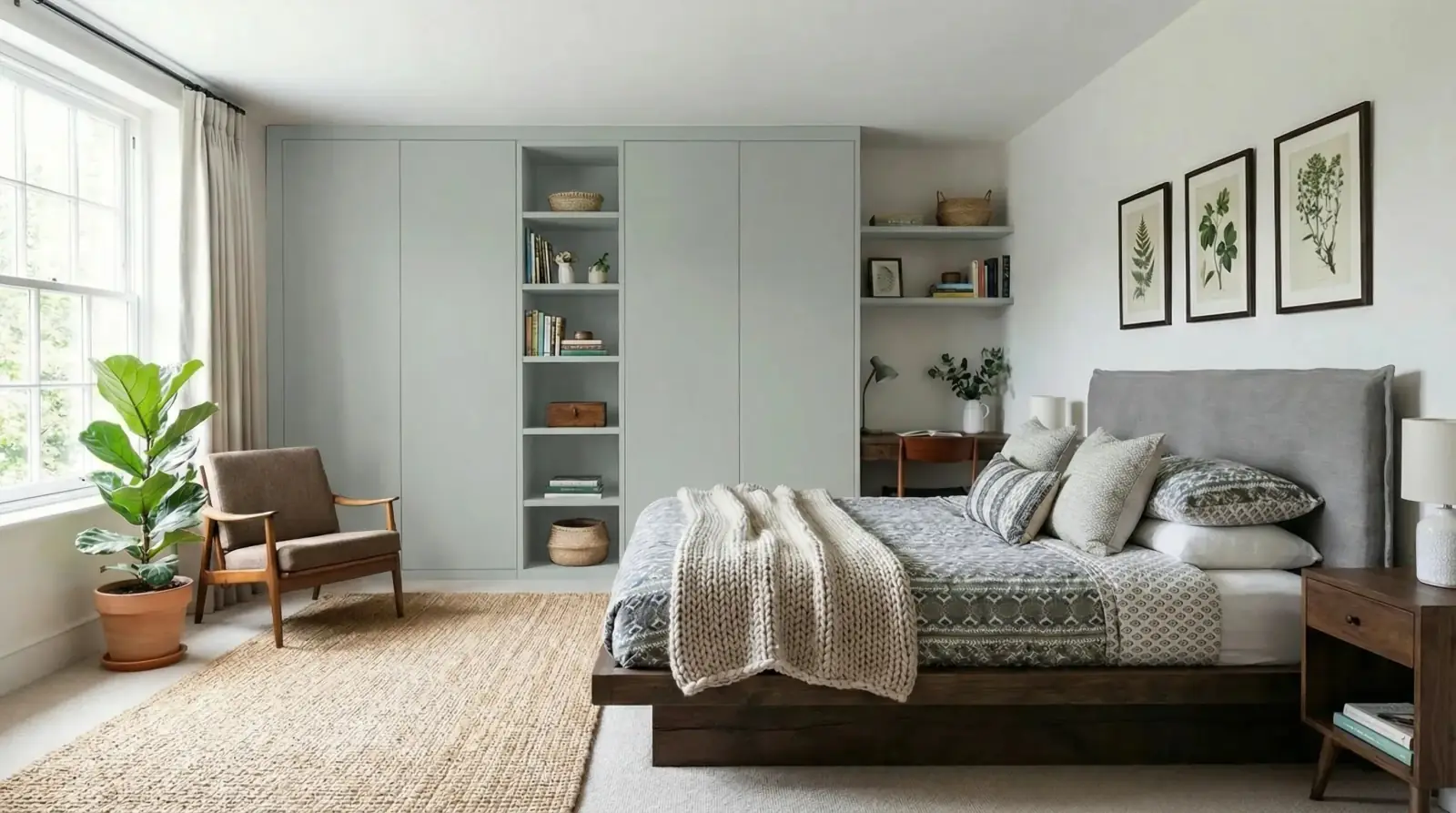
Wardrobe color decision
A paint direction tested on wardrobe doors where a moodboard would only imply the color relationship.
Sahara Creme paint / Bedroom wardrobes

Questions
Does an AI room visualizer replace a moodboard?
No. A moodboard is still useful for broad creative alignment. A room visualizer is stronger for specific material, color, or finish decisions in a real room photo.
Which should I show clients first?
Show a moodboard first when the direction is still open. Show room visualizations when the client is choosing between specific finishes or approving a target surface.
Can RenoViz work from showroom samples?
Yes. Use My Captures to save a sample photo and the material info card, then apply the sample to a room photo for a decision-ready comparison.
Related pages
Try this workflow
Use RenoViz to compare material directions in a real room photo, then confirm final choices with samples and professional review.