Designers, renovators, and fabric retailers
Fabric visualizer
Compare upholstery and soft-finish directions in real room photos.
Preview upholstery in context
Fabric can look different once it sits beside flooring, walls, timber, metal, and natural light. RenoViz applies a fabric sample to sofas, chairs, cushions, or other soft surfaces in the actual room photo.
- Compare fabric color and texture against the surrounding palette.
- Keep the room composition visible so the result is easier for clients to judge.
- Use My Captures to save fabric close-ups and showroom labels together.
Use captures for supplier follow-up
Fabric decisions often require composition, width, rub count, collection, price, and supplier code. Photograph the material info card when capturing the sample so those details remain available after the client review.
Confirm texture and durability
Use the visualization for color and direction, then confirm final texture, performance, cleaning guidance, and availability with the supplier or upholsterer.
Visual examples
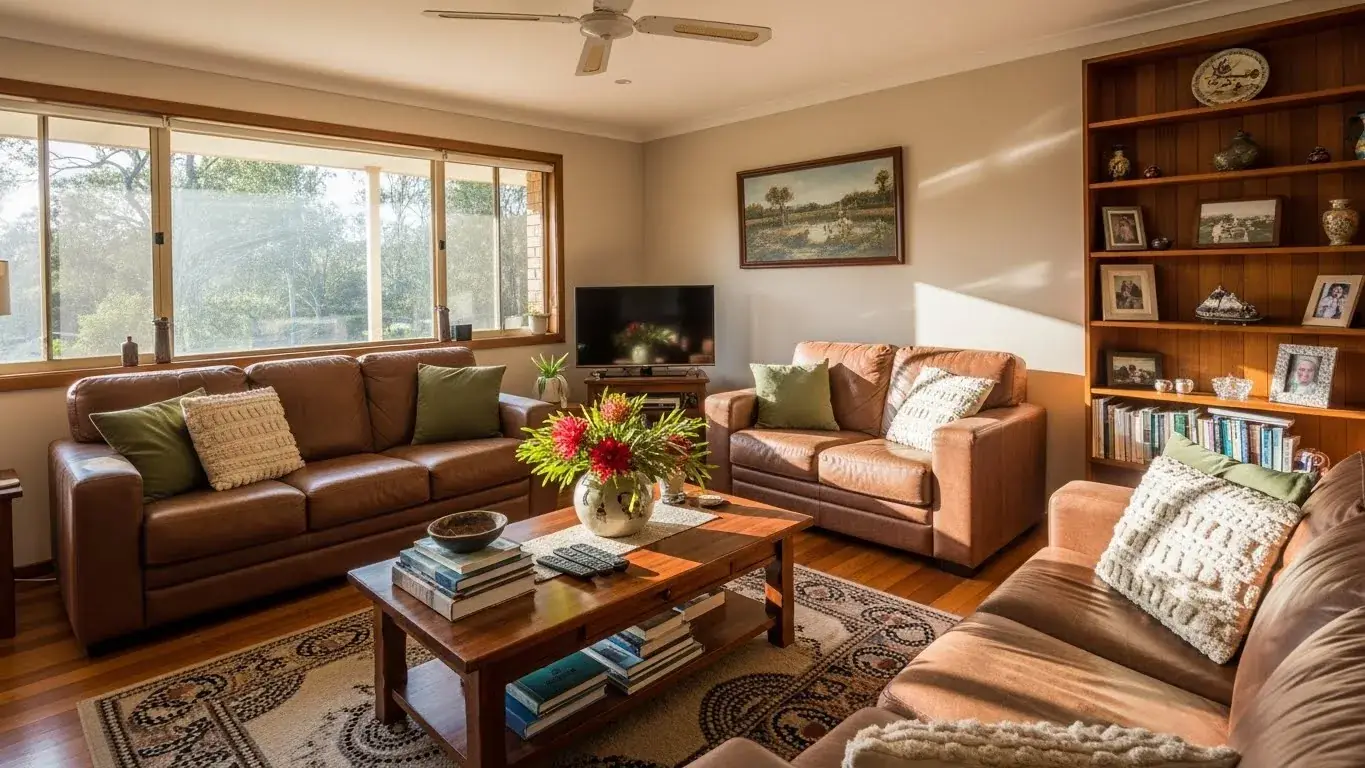
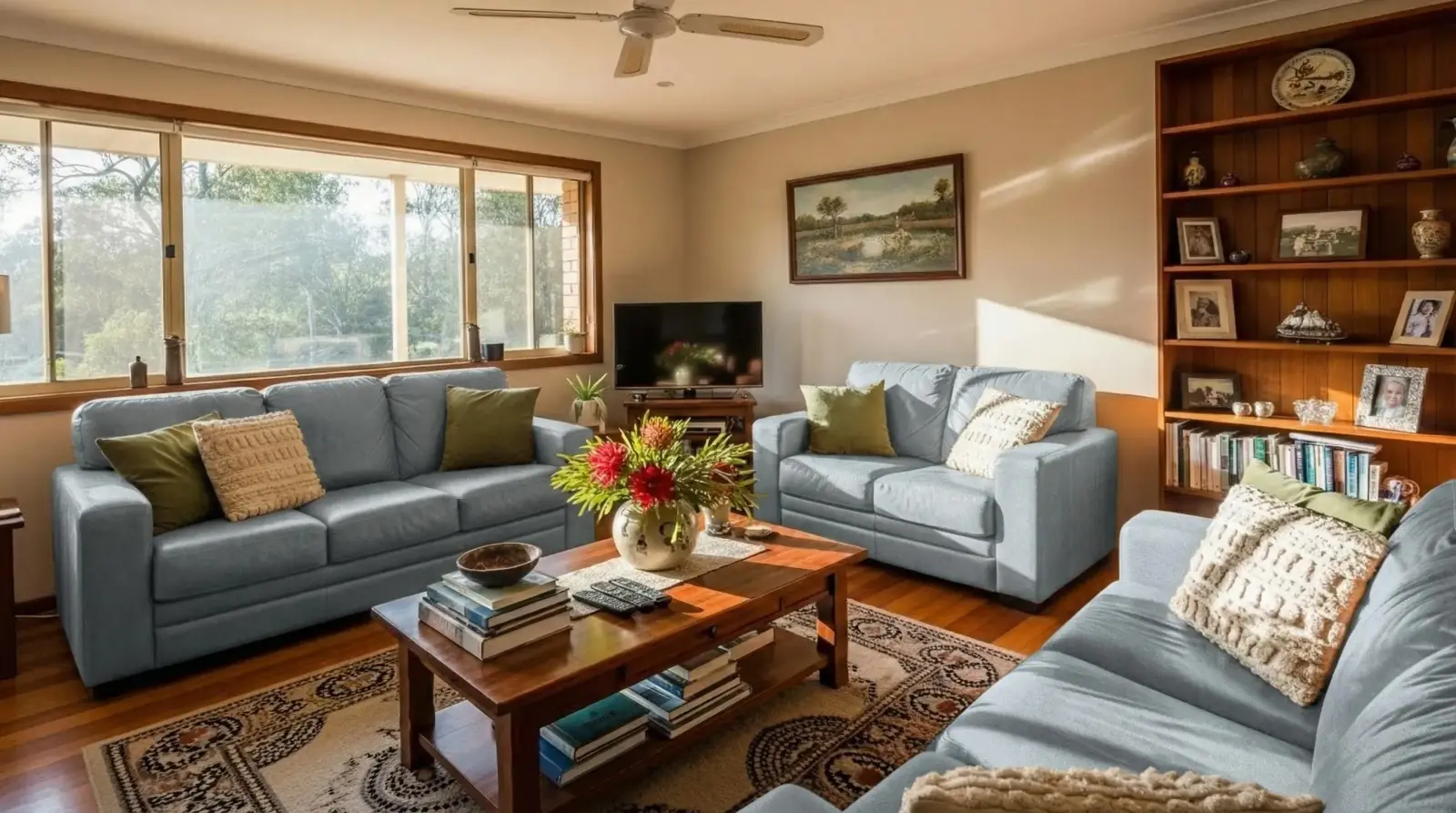
Light blue linen sofas
A linen fabric sample applied to living room sofas while preserving the surrounding space.
Light blue linen / Living room sofas

Questions
Can RenoViz visualize fabric on existing furniture?
Yes. Upload the room photo, add the fabric sample, and describe the target surface, such as the sofas only or the dining chairs only.
Will the result show exact weave texture?
It can communicate fabric direction, but final weave, pile, sheen, and durability should be confirmed with the physical sample.
What supplier details should I keep with fabric captures?
Capture the label or info card with collection name, colorway, width, composition, rub count, price, and supplier code when available.
Related pages
Try this workflow
Use RenoViz to compare material directions in a real room photo, then confirm final choices with samples and professional review.